

The technology is evolving at high speed. Running a small business is now a juggling act as you have to manage inventory, raw material, HR, finance, IT, and lately the cybersecurity in fact. The importance of securing your business operations against cyber threats has never been more critical, compared to the past. With ever-changing threats and regulations due to changes in the security landscape, opting for the right cybersecurity tools can make all the difference in protecting the business operations of your organization. Luckily, several cybersecurity free tools for protecting business operations are available without the need for extra spending that consumes your company’s budget.
In this article, we present the Top 15 Free Cybersecurity Tools for Protecting Business Operations. We will delve into every aspect of these tools ie, including the functionality of these tools to vulnerability assessment, firewalls, Antivirus solutions, to password managers. We will also comment on the various categories of these tools.
As business operations increasingly trend toward digital infrastructure, the associated costs of cybercrime have surged over the last decade. Since 2015, the cost of cybercrime has risen by $7.5 trillion, and these expenses are expected to keep soaring. Small businesses can no longer afford to overlook implementing cybersecurity tools.
To empower you to safeguard your business, let’s first look at the parameters necessary to consider while choosing a free security tool.
Parameters to consider before choosing a free cybersecurity tool
- Developer’s Credibility
- Just like you investigate and look for a familiar firm or community while purchasing a premium solution, the same goes here for any free tool; make sure that it is from a well-known open-source community or cybersecurity firm. Selecting someone with no proven track record may harm your goal of safeguarding your business operations.
- Data Privacy Concerns
- Data privacy breaches are a common problem for businesses that cause them huge financial and reputational losses. As a business unit, you need to know that the free app you are opting for is collecting what type of information and how it is used. It is necessary to know because some free tools are free as you are the product
- Compatibility with Existing Systems
- Make sure that the tool chosen works smoothly with your OS, systems, browsers, devices and Transaction Management System, ie, business software. It is mandatory, as nobody wants to destroy something while fixing something.
- Security Features Offered
- Asses your need and then check if the tool do what you need? For example, look for your business needs, whether it is a firewall protection tool, a VPN tool, a malware scanner, and email phishing alerts tool.
- Update frequency
- Make sure that the tool you choose is regularly updated. A tool is futile if the developer or company does not offer regular updates, which means it is vulnerable as new threats evolve quickly.
- Support
- If community support and documentation are not available, then don’t go for such a free tool. Prefer having proper documentation and support communities to avoid any untoward situation in case of any issue.
- Real-World Reviews & Feedback
- Check forums, Reddit threads, review blogs, and YouTube. What do other businesses say? Look for honest feedback from companies similar to yours.
- Customizability
- Can you tweak the settings of the tool to fit your operations? Whether it’s scheduling scans or adjusting alerts, flexibility is crucial when protecting dynamic business environments.
- Scalability
- Your business expands; likewise, the tool should evolve with you.? Some free tools offer paid tiers or advanced features that can be accessed later if needed. It’s good to know you have a path forward.
- Performance
- Your team should not experience delays. Opt for tools that ensure protection without compromising speed—your employees must not have to sacrifice safety for productivity.
Considering the above features for free cybersecurity tools, we present the top 15 free cybersecurity tools for Protecting Business Operations.
1. Bitwarden
It belongs to the Password Management tool category.
Aim: This cybersecurity tool aims to store, secure, and generate strong passwords that are neither guessable nor breakable, so easily.
It restricts the reuse of passwords and provides easier, secure access for teams
2. Windows Defender
It belongs to the Antivirus & Anti-Malware Software category
Aim: Its job is to detect and wipe out viruses, ransomware, spyware, and other malicious software. Other examples include Malwarebytes and Avast
Restricts threats proactively before they break your systems or steal data
3. SimpleWall (Windows)
It belongs to the 🔐Firewall Tools category
Aim: Its job is to monitor and control network traffic based on security rules and software. Other examples include pfSense and ZoneAlarm
Restricts unauthorized access and halts risky outbound connections
4. Nessus
It belongs to the category of Vulnerability Scanners
Aim: Its job is to scan systems and networks for weak spots or unpatched software
The good thing is, it supports identifying and resolving issues before hackers exploit them
5. Wireshark
Wireshark is a powerful and open-source tool that is a comprehensive network analyzer. This tool plays the role of a magnifying glass for your network traffic. It scans the network traffic deeply, inspecting hundreds of protocols. This powerful open-source tool delves into your network in real time to capture any suspicious activity and troubleshoot any issues. Wireshark grants you free deep scanning and visibility of the internet traffic without demanding a pricey license.
Distinctive Features for Small Businesses.
Identify Misconfigured Devices: At times, devices at your workplace, like printers, routers, or even laptops, start communicating to hostile places they shouldn’t. Wireshark supports and helps you spot those issues early.
Catch Malicious Activity: Suspicious packets from unknown IP addresses? Repeated failed login attempts? Wireshark lets you zoom in and see the who, what, and where.
Monitor Employee Network Behavior (ethically and with consent): Ensure that business-critical apps are used appropriately and not misused during work hours.
Troubleshoot Slow Networks: Unsure why your Wi-Fi is slow? Wireshark can help diagnose bandwidth hogs or connection drops.
Verify Data Encryption: You can check whether sensitive information like logins and passwords are being transmitted securely (e.g., over HTTPS or TLS).
Open Source and Free Forever. As an open-source tool, Wireshark is freely available for use and distribution, with its source code accessible under the GNU General Public License (GPL).
Supported by an Active Community. The Wireshark project is supported by a vibrant community of developers and users who contribute to its ongoing development and enhancement.
6. CrowdStrike Falcon
Small businesses that handle critical financial or personal data for customers can greatly benefit from this tool, especially given their limited resources and financial constraints.
It offers a powerful free version that small businesses can utilize to have endpoint protection without spending a budget..
The purpose of this free cybersecurity tool with limited features is to detect, analyze, and respond to threats on endpoints using AI-driven threat intelligence.
Monitors computers and devices for any suspicious activity, malware, and cyber threats.
The good point about it is that it installs fast and updates automatically. It also does not slow down or underperform your devices and systems.
CrowdStrike Falcon demonstrates that you don’t have to be large to stay secure. If you’re seeking smart, proactive security that’s trusted by global enterprises but made accessible for smaller ones, Falcon Lite is worth considering.
Whether freelancers, consultants, teams using from home setup, or e-commerce owners can greatly benefit from it.
7. Netcraft
It is a Web Security & Monitoring Tool that examines and analyzes your website traffic for threats. Your customer uses and relies on your website. As soon as they know that the website is compromised, it would shatter their trust in your business.
Netcraft is a friendly, free browser extension that acts like your personal cyber bodyguard! Whether you’re running a small business or just juggling several online accounts, it helps keep you safe from sketchy sites, malware, and impersonation scams. Once installed, you will receive real-time alerts if anything appears suspicious, based on its intelligent threat analysis gathered from millions of users worldwide.
Netcraft is smart and proactive. It can detect fraudulent login pages that imitate your bank, email provider, or business website. This is especially critical for small businesses that manage client data, customer payments, or other sensitive information. Prioritizing data security not only protects your customers but also fosters trust and credibility in your brand.
8. VirusTotal
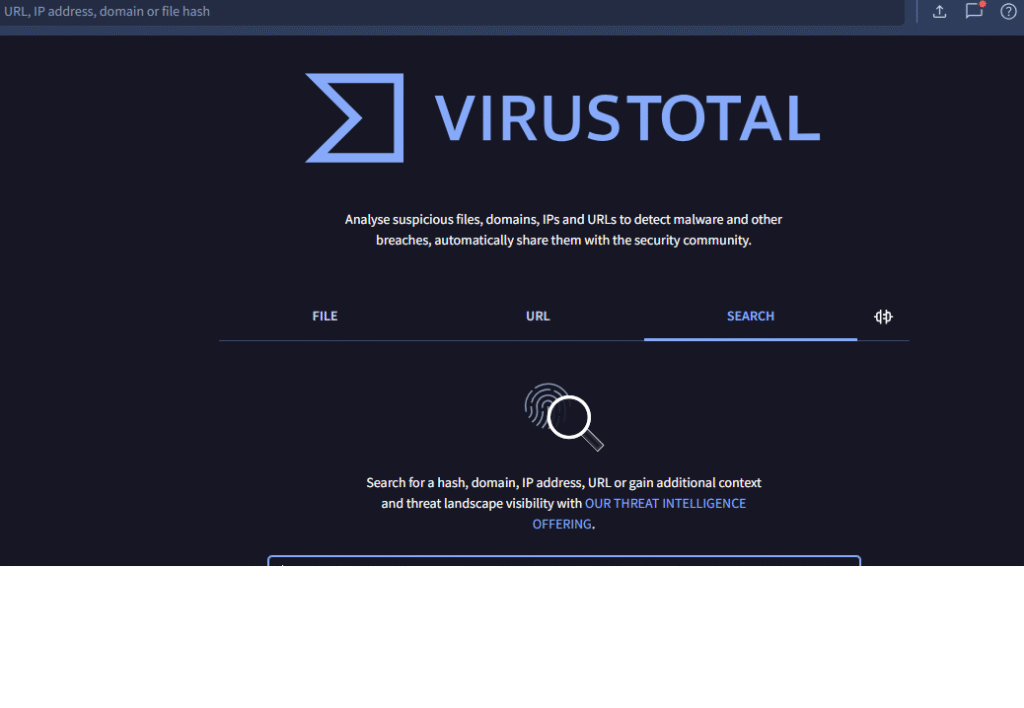
In today’s digital landscape, a single careless click can jeopardize your business. File and URL scanners act as a protective measure, allowing you to test unknown files and suspicious links before accessing them. Free tool like VirusTotal lets you to upload a file or paste a URL, which they then scan using multiple security engines simultaneously. This comprehensive scanning provides a complete assessment of whether a file is safe or potentially harmful, making it much more reliable than solely relying on your default antivirus software.
9. Nmap
Nmap is a network mapper that does network scanning and security auditing. It sends packets to detect and analyze the responses of hosts and know about the services on those hosts. Nmap is the best free tool to discover network vulnerabilities and avoid security breaches.
It gives you the liberty to probe into various functioning devices and services. It scans the network for open ports and services. It identifies which OS is running on detected hosts, and which version of various applications are currently running on those devices and hosts? Additionally gives you information about the security firewalls being used. Nmap is widely used by network administrators, analysts, and cybersecurity specialists. It also offers a GUI-based utility, making it easy to use. It has won numerous awards for information security protection.
There is a vibrant community of developers and supporters behind this product that makes it an obvious choice among free cybersecurity tools for your small business operations.
10. Burp Suite
Burp Suite is a web application security tool. For your small organization’s business operations, it could be a tactful addition to secure your web applications. Being a robust tool, it can help you to debug and check your web security.
Like physical security of your home, you ensure locking the doors and keeping security tight, the same way, Burp Suite looks for vulnerabilities and weak points on your website. This tool utilizes the concept of a spider crawling through the website, checking every page, even the ones that are hard to find, to see how everything is connected.
It also ensures that your security logins are secure. When you log into a website, you receive a “session token” that allows you to stay logged in. Burp Suite examines the strength and randomness of these tokens. If they are too predictable, a hacker could potentially guess them and gain access without needing a password.
This way, this suite gives you the liberty to check your web applications for any loopholes ahead of any hacker to exploit those weak spots.
11. AntiVirus
AntiVirus is an effective tool since day one to protect your computer from viruses. However, due to cloud computing and a highly connected world, this tool is protecting against many other types of malware. Malware comprises different types of cyber threats like viruses, adware, spyware, and ransomware, which are used by cybercriminals for financial benefit. What Antivirus does is keep track record of all recent attacks and see if such threats are on your computer that may hamper your business operations or corrupt you customers’ profiles
With the right AntiVirus program, you may get protection from many cyber threats and malicious software on your computer or devices, enabling you to continue safe small business operations.
12.




Pingback: Cybercrime Tactics Hackers Don’t Want You to Know -